Upload your statement. AI finds what's costing you money.
Find the forgotten subscriptions, duplicate charges, and category leaks hiding in your statement. See yours in 60 seconds.
Trusted by paying customers to analyze real bank statements — without connecting to your bank.
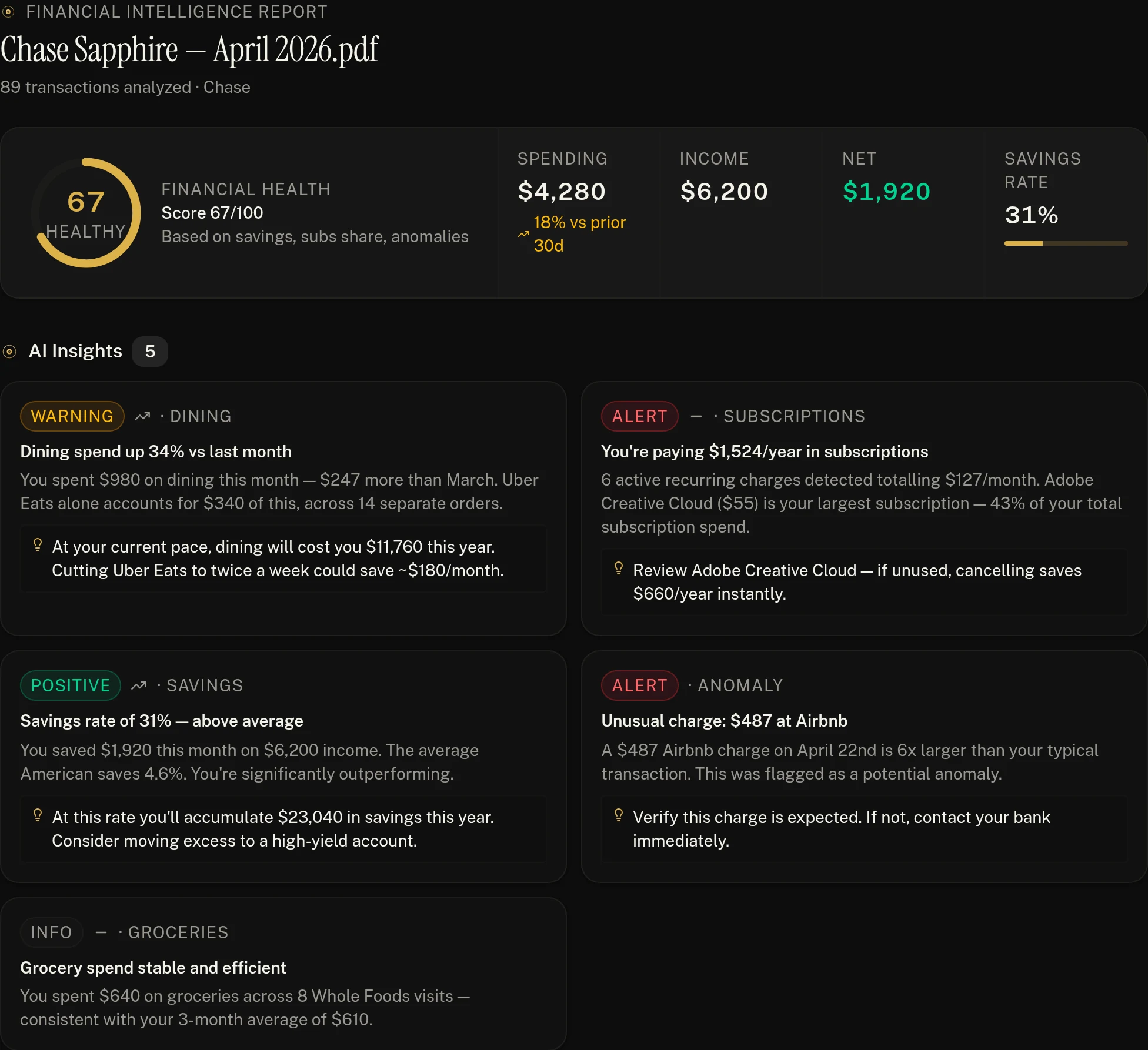
- Health score
- AI insights
- Subscriptions
- Risks & anomalies
A real Ledger AI report with sample data. See a sample report
How it works
Three steps to financial clarity.
Upload your statement
PDF or CSV from any bank, anywhere in the world. No login. No OAuth. Just drag and drop.
AI reads every transaction
Ledger AI categorizes spending, detects subscriptions, flags anomalies, and builds your financial picture in seconds.
Get your financial intelligence report
See where your money went, what changed, what's costing you, and what to do next. Ask follow-up questions in plain English.
Want to see the output before uploading your own?
See a sample reportCurious how the AI bank statement analyzer reads a statement end to end?
What you get
A report that tells you what to do next.
Works with PDF or CSV statements from any bank or credit card, in any currency.
A health score and plain-English insights: where spending jumped, what it will cost over a year, and what to change first.
Privacy-first
Your financial data stays yours.
We never ask for your bank credentials. There's nothing to phish, nothing to leak, nothing to break when your bank changes APIs. You upload statements; we analyze them. That's it. Delete everything in one click, anytime.
- No bank login or credentials required
- Encrypted upload and at-rest storage
- Per-user data isolation enforced at the database
- One-click delete — your files and transactions, gone
- Works offline of any banking integration
What the AI sees
Plainly, here's what leaves our servers when you use Ledger AI.
The whole file is read once by Google Gemini to pull out your transactions. That includes what's printed on it, like your name and account number. Gemini doesn't keep the file after reading it and doesn't train on it.
We read the file on our own servers. Only the date, merchant and amount of each transaction go to the AI for categorizing. If we can't read the format, the file's text is sent to the AI to find the rows.
Your question, your totals and a sample of recent transactions (date, merchant, amount, category). Never the original file.
What it never gets
- Your bank login. We never ask for it.
- Selling or sharing your data with advertisers.
- Training AI models on your statements.
Want the AI to see less? Upload a CSV export instead of a PDF. Full details in our privacy policy.
Pricing
Simple, fair pricing.
Start free. Upgrade when you need more depth. Cancel anytime. Prices in Canadian dollars.
Not sure yet? Analyze a few statements first.
- 3 months of statements / month
- 90-day history
- Basic dashboard
- AI categorization
- CSV export
Everything an individual needs — 7-day free trial included.
- Unlimited uploads & history
- AI Copilot chat
- Subscription detection
- Smart natural-language search
- Priority extraction
Forecasting, anomalies, financial coaching.
- Everything in Pro
- Advanced AI insights
- Cash-flow forecasting
- Anomaly detection
- Financial health score
Built for freelancers & consultants.
- Everything in Premium
- Business expense tagging
- Tax-deduction detection
- Quarterly tax estimation
- Accountant-ready exports
FAQ
Common questions.
Stop guessing where your money goes.
Upload your first statement in under 30 seconds. The Free plan covers 3 months of statements every month.
No credit card · No bank login · Cancel anytime